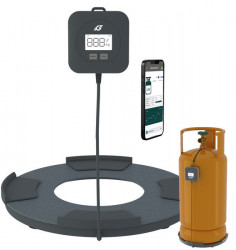










Universal wireless "Mopeka PRO Check" indicator for diesel, oil, water, propane

Description
Mopeka Pro Check Universal for Steel Tanks The Mopeka Pro Check Universal sensor is the next generation of Pro Check's high performance technology, offering the same ease of use and connectivity to the user, but with the addition of new and useful features:
- Improved accuracy - Pro Check is already 99% accurate... Pro Check Universal will increase this accuracy to 99.5%
- For diesel, oil, water, propane, butane, butane, water and other liquid products
- 63% longer sensor battery life compared to the original Pro Check
- With strong magnets that attach to cylinder bottom, spacers and dielectric grease
- Simple installation: the sensor simply attaches to the bottom of the tank with strong magnets or mounting collars. The magnets or mounting rings ensure that the sensor is firmly attached to propane tanks up to 946 litres.
- State-of-the-art technology - The Mopeka Pro Check Universal features an integrated temperature sensor, tank level gauge, configurable sampling timer, firmware upgrades and customisable alarms/warnings, all designed to improve the quality and accuracy of your measurements.
- The device can be used with both vertical and horizontal tanks
- Free mobile app - Download the easy-to-use Tank Check app for free from the Apple and Google Play stores. The app supports an unlimited number of tanks and sensors and allows you to customise alarms to suit your needs.
- Also compatible with Mopeka Wifi Bridge, which allows remote sensor reading via the APP.
Power supply: CR2032 battery
Mopeka Pro sensor installation
1. Go to the app-store. Search for the Mopeka Tank Check app and install.
2. Launch the app. When it starts, it will automatically start a search for Mopeka sensors.
3. Press and hold the SYNC button until the sensor appears in the app. (up to 10 seconds)
4. The sensor will then appear in your app as a new device.
5. The sensor is now synchronised. You can now proceed to installing the sensor on the tank.
For steel tanks
6. Clean the tank bottom of any debris, excess paint and rust.
7. If your tank sits directly on the ground or other flat surface, then install spacers at the bottom of your tank. This will provide adequate space and improved wireless range for the sensor.
8. The sensor mounts to the bottom of the tank using magnets. The rubber plate between the magnets should have good contact with the tank with no contaminants in between.
9. Apply a generous amount of Vaseline to the rubber pad before attaching the sensor to the tank.
10. Install the sensor on the tank so that the rubber pad is aligned with the bottom in the centre of the tank.
For integration with the Victron Energy Cerbo GX go to the Cerbo GX Manual Link
Details
Delivery
Products on stock are delivered in 2 - 4 working days
Free delivery for orders > 60 Euro (except for products with special warnings)
Frequently bought together
-
 VICTRON socket for MEGA lamellar fusesRON 74.00
 -
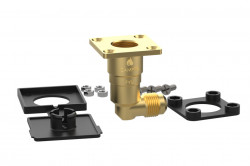
External LPG fuel inlet with 90° connectionRON 159.00
-
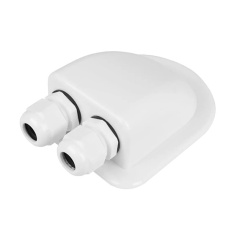
MASIS cable feed-through device with 2 entries, cable Ø 6-12mm, colour ALBRON 29.00 RON 59.00
-
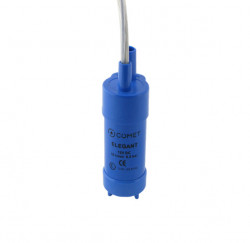
Submersible water pump "Elegant" 10l / 0,5 bar for caravans or motorhomesRON 59.00 RON 70.00
-
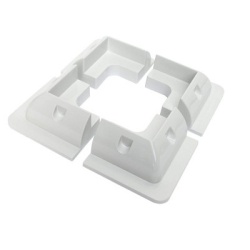
Block 4.5cm, whiteRON 12.00





Other customers have bought
-
Mopeka" wireless displayRON 499.00
-
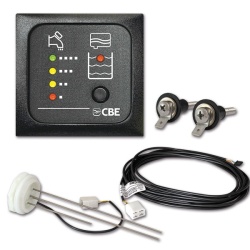
Gas level indicator "Gaslevel"RON 146.00
-
Gas leak detection spray, 125 mlRON 32.00